

Activities timeline component redesign
Summer 2025
Context and problem
Prime’s activity timeline wasn’t designed for workflows with multiple required actions
Coinbase Prime helps institutional teams manage millions of dollars in assets. Each team includes members with different roles and permissions, including designated approvers responsible for authorizing activities. These users rely on the Activities page to track more than 100 activity types, from transfers and wallet creation to team governance. Each activity includes a timeline showing its progress and any actions the team must complete.
The timeline was originally built around consensus approval as the sole required action. As workflows expanded to include video authorization, mobile signing, and other requirements, three limitations became clear:
- Limited status visibility: The timeline only showed the status of consensus approvals, but could not display newer actions like video authorizations or mobile signing.
- Unscalable hierarchy: Every submission for consensus approvals stacked beneath each other, making timelines longer and difficult to scan as they became more complex.
- No concurrent actions: Teams had to complete one action before the next became available, creating unnecessary delays.
Solution
A timeline built for non-sequential actions
The redesign allowed most required actions to progress in parallel. A user could approve an activity or submit a video authorization without waiting for the team to finish another action, reducing delays and repeat visits.
I also refined the timeline as a cohesive system, introducing clearer hierarchy, richer status visibility, and flexible component patterns to scale existing and future workflows. Three key principles shaped the final design.
Principle 1
Representing parallel actions within a linear timeline
The timeline needed to represent a non-linear checklist within a linear lifecycle. To keep it simple, I first explored displaying each action as a separate step in the timeline, then more literal nesting patterns that accounted for the different orders in which they could be completed. The first approach implied a fixed sequence; the second introduced complexity that would only grow as activities required more actions.
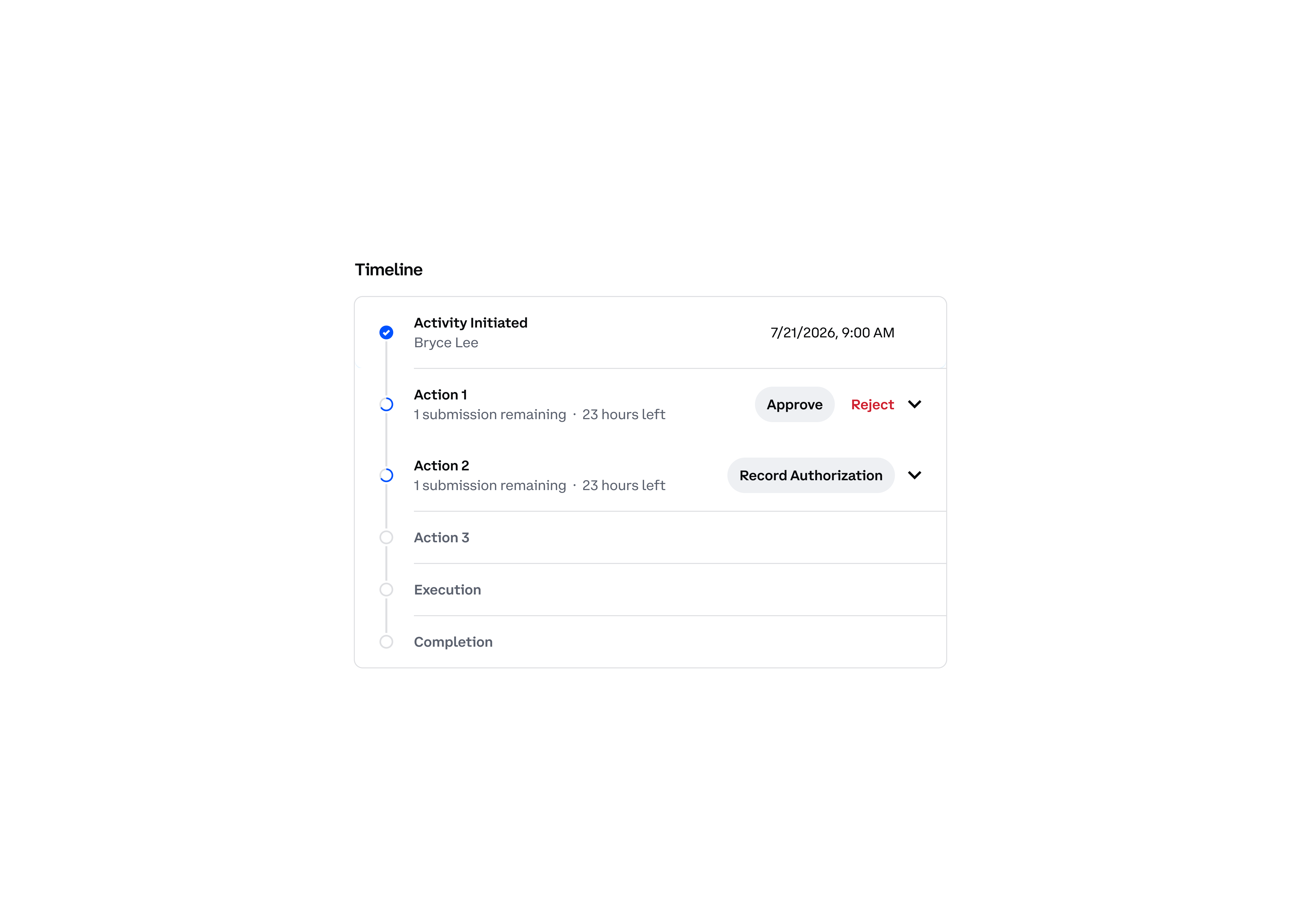
A feedback session from our account managers clarified what mattered most: clients wanted to distinguish the actions that their team needed to take from the processes handled by the system. This shifted the goal from visualizing every possible sequence to clearly distinguishing team responsibilities from system processes.
I grouped all actions under a single “Actions Required” parent row. Most actions could be taken in any order, while sequential dependencies received a distinct treatment when needed. We also extended this model beyond the timeline, establishing “Actions Required” as a status across Prime’s activity surfaces whenever a team needed to give input. By making this stage explicit, we aimed to give teams greater confidence in what they needed to do and what the system would handle next.
Principle 2
Separating progress from actionability
Early concepts placed CTA buttons directly within the timeline rows. While this made sense at first, it broke down in the context of the full activity page, where the buttons also appeared in the page header. This created competing entry points and added visual noise without making required work easier to find. More fundamentally, embedding actions in the timeline asked it to serve two different jobs: tracking the team’s progress and guiding individual team members on what to do next.
I separated these responsibilities into two components. The timeline remained a shared record of the team’s progress, while a new “Your Actions” section surfaced the tasks available to the individual user. This gave required work greater prominence without cluttering the timeline.
Principle 3
Preserving clarity and trust across every state
Institutional teams manage high-stakes activities and need to understand their status at a glance. At every stage, I highlighted the most relevant information by prioritizing clear visual and content design, while using progressive disclosure to keep secondary details accessible.
The same focus on clarity and accuracy extended to terminal states. The timeline reflected the final outcome while preserving the history users needed for an audit, even when an activity did not complete as planned.